Ads 468x60px

Tuesday, 10 May 2011

WINDOWS 7 THEME CREATOR

CustoPack Tools is a free software that allows you to easily customize Windows appearance through the installation of packs. Made by the CrystalXP.net team, it is compatible with Windows XP (32-bit), Windows Vista (32 or 64-bit), and Windows 7 (32 or 64-bit).


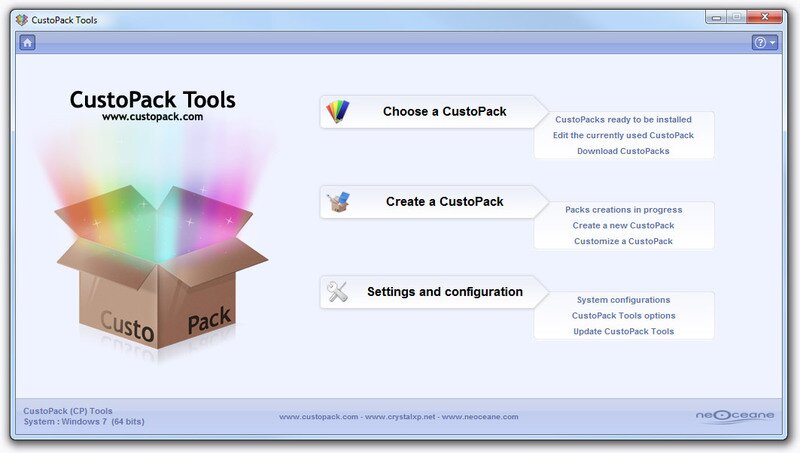
It splits into 3 parts: 
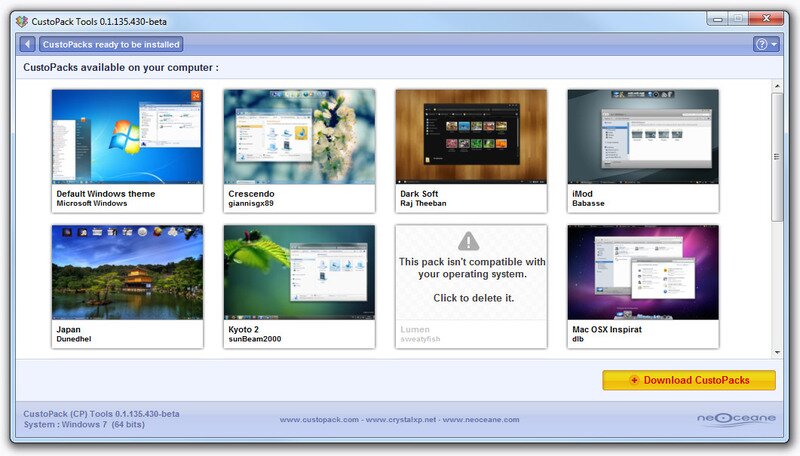
Choose a CustoPack : designed for general public, this part allows you to install a CustoPack (among those you have downloaded and installed) in order to customize the appearance of your Windows.

Create a CustoPack : designed for a public more informed, this part allows you to create your own CustoPack with elements which you made or selected. For more information, you can visit our « Creators Room ».

Settings and configuration : this part allows you to set CustoPack Tools options and to configure some system options.

A CustoPack is a pack containing various graphic elements (icons, cursors, images, visual style, etc.) which allows you to change Windows appearance.

This pack must be used  with CustoPack Tools. It's this software which will take charge of recovering elements contained in the CustoPack so as to install them in your computer.

Download Here

Friday, 15 April 2011

EverNote - Organize Your Notes


Evernote makes it easy to remember things big and small from your notable life using your computer, phone, and the web. Get started today with a free account.
Montage of different notes

Capture everything.

Chances are, if you can see it or think of it, Evernote can help you remember it. Type a text note. Clip a web page. Snap a photo. Grab a screenshot. Evernote will keep it all safe.


Organize it. (Or let us do it.)

Everything you capture is automatically processed, indexed, and made searchable. If you like, you can add tags or organize notes into different notebooks.


Find anything fast.

Search for notes by keywords, titles, and tags. Evernote magically makes printed and handwritten text inside your images searchable, too.

Infinitely useful.

Put your thoughts, ideas, inspiration, and things to remember all in one place. Use Evernote for work, for play, and for everything that’s noteworthy. Here are a few suggestions:

Snap a photo of a business card with your phone, and have an easy way to store and access contacts.Capture plane tickets and confirmation numbers, hotel invoices, and receipts for your expense reports.Get inspired. Keep a file of anything cool you want to buy for yourself or as a gift, whether it’s online or out in the real world.Keep notes from your meetings all in one place. Take a picture of a whiteboard and you’ll be able to find it later.Plan your next trip. Clip web pages, maps, and itineraries. Capture sights, sounds, tastes, and anything else.Research web sites and clip pages directly from your browser.Keep a record of your favorite wines by snapping a photo of the label when you find one you like.Remember the things you were supposed to remember. Create to-do lists, jot down random thoughts, leave a voice memo, and more.Create notes right from Twitter and save tweets that you like by following @myEN on Twitter.


Sunday, 20 March 2011

SAY THE TIME !!! A TALKING CLOCK AND ALARM


Get organized -- the fun and easy way! Say the Time will keep you on schedule by automatically announcing the date, time or both at specified intervals using a pleasant male or female voice. Keep track of important time commitments with fully-customizable appointment reminders. Manage ideas and information with colorful virtual sticky notes. Transform your boring taskbar time display into a colorful clock that can display both the date and the time. View the time in different parts of the world.

It's a clock. It's a calendar. And it's so much more! Say the Time will help you to manage your time better than ever before -- you'll wonder how you ever managed without it.


Tuesday, 22 February 2011

BEST 4 FREE UNINSTALLERS !!!

1)Revo Uninstaller

The Uninstaller tool lists the installed programs and components for all and current user. With a choice of views, as well as a context menu, information on program components is available: program properties, their registry entries and links to manufacturer's web site, for a start. The "Search" option finds installed applications just by typing the first few letters of their name. Revo Uninstaller Pro scans for leftovers with even more advanced algorithms that are so precise, fast and very effective in search for leftovers of Windows Services, Drivers, File associations, Shell Extensions, COM components, Windows Installer components, program settings and more!
2)Your Uninstaller

Complete removal

Unlike other similar tools, Your Uninstaller! scans whole system for related files and traces and manages to remove them.
 
Uninstall as you wish

Uninstalling a program is one or two clicks away. Your Uninstaller! guess your inputs and respond with best solution.
Manage your programs

Easily sort, change icon, write comments, backup registry or lock programs. Makes it easy to navigate through all installed programs.
Latest technology


Your Uninstaller! is built using the latest technology: Windows 7, 64bit, memory caching along with modern user interface, which bings excellent user experience.